

Importing Data#
You can import data into your Upstash Redis database from two sources: an existing backup or an RDB file.
All existing data in the target database will be deleted before the import operation begins.
Start an Import#
To begin importing data:
- Go to the Redis database list page in the Upstash console
- Click on the
Import...button
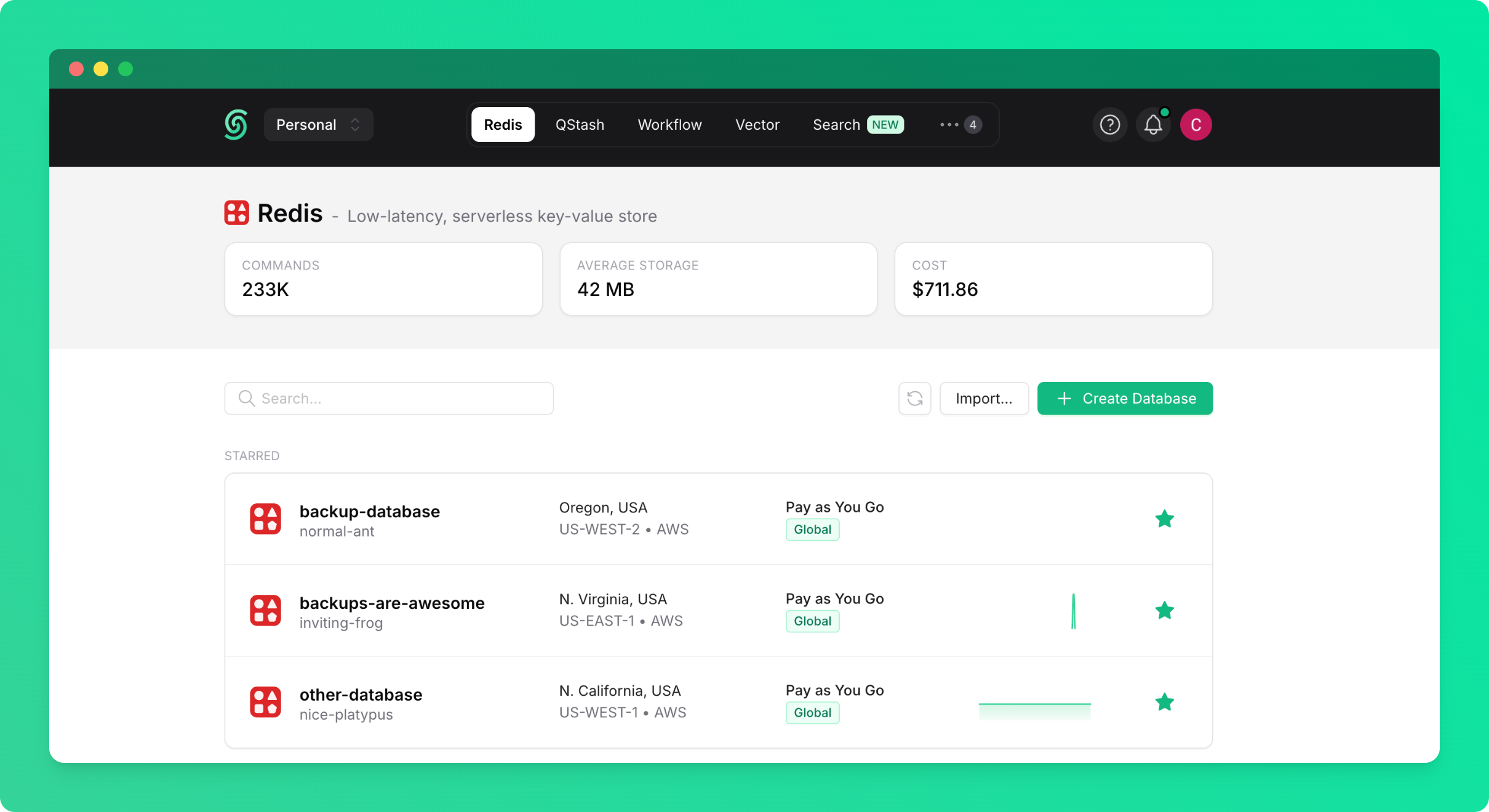
You'll see a dialog with two import options:
Option 1: Import from Backup#
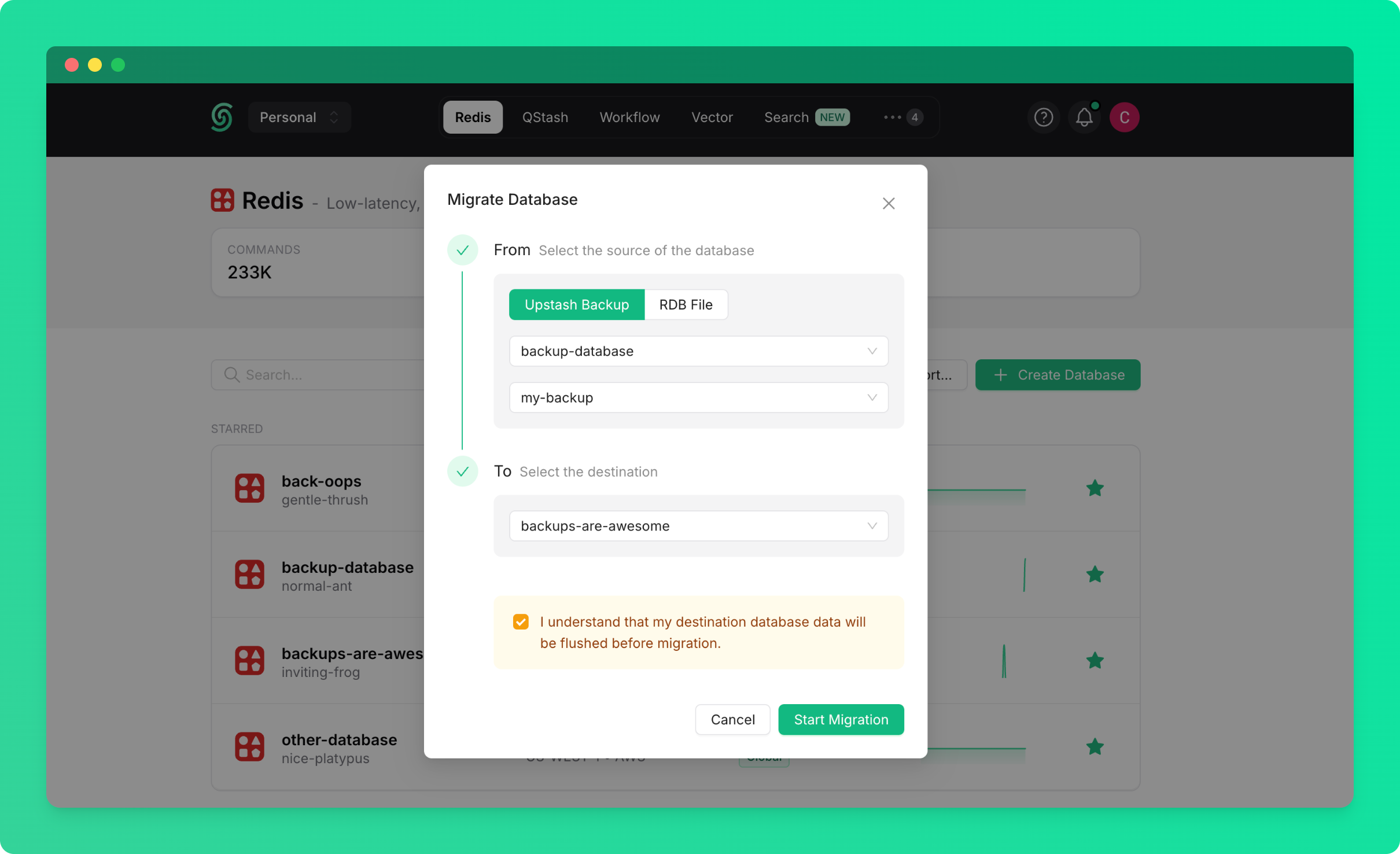
Import data from a backup of any existing database in your account or team:
- Select
From Backupas the source - Choose the source database (the database from which the backup was created)
- Select the backup you want to import from
- Select the target database (the database you want to import into)
- Click
Start Import
Option 2: Import from RDB File#
Import data from an external Redis database by uploading an RDB file:
- Select
From RDB Fileas the source - Click
Upload RDB Fileand select your RDB file - Select the target database (the database you want to import into)
- Click
Start Import
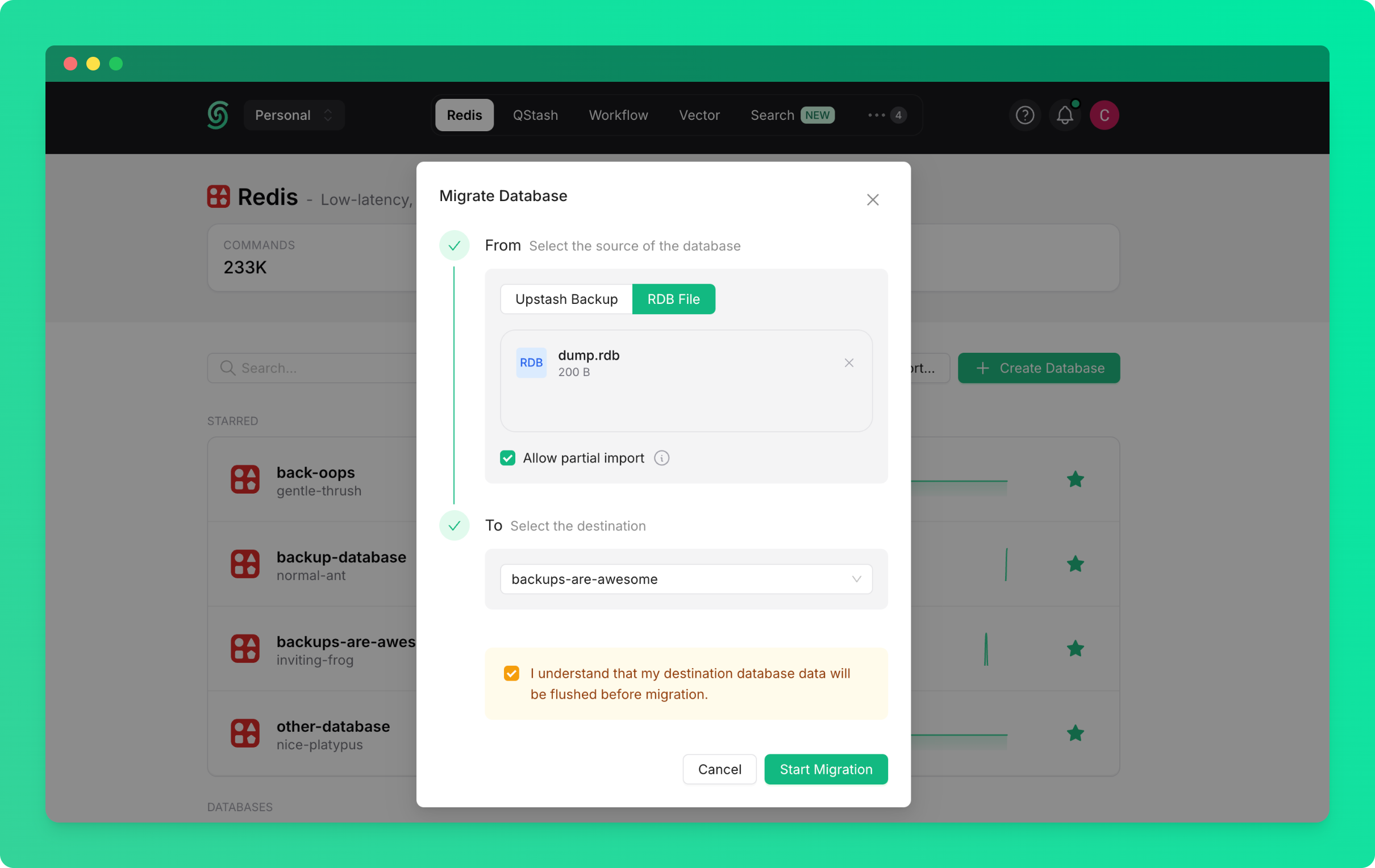
If you're importing from an external Redis database (from another provider or on-premise), you'll need to export it as an RDB file first.
Exporting Data#
You'll be able to export your Upstash Redis database as an RDB file for backup or migration purposes.
Request an Export#
To export your database:
- Go to the database details page and navigate to the
Backupstab - Click on the
Backup & Exportbutton - Choose
Export
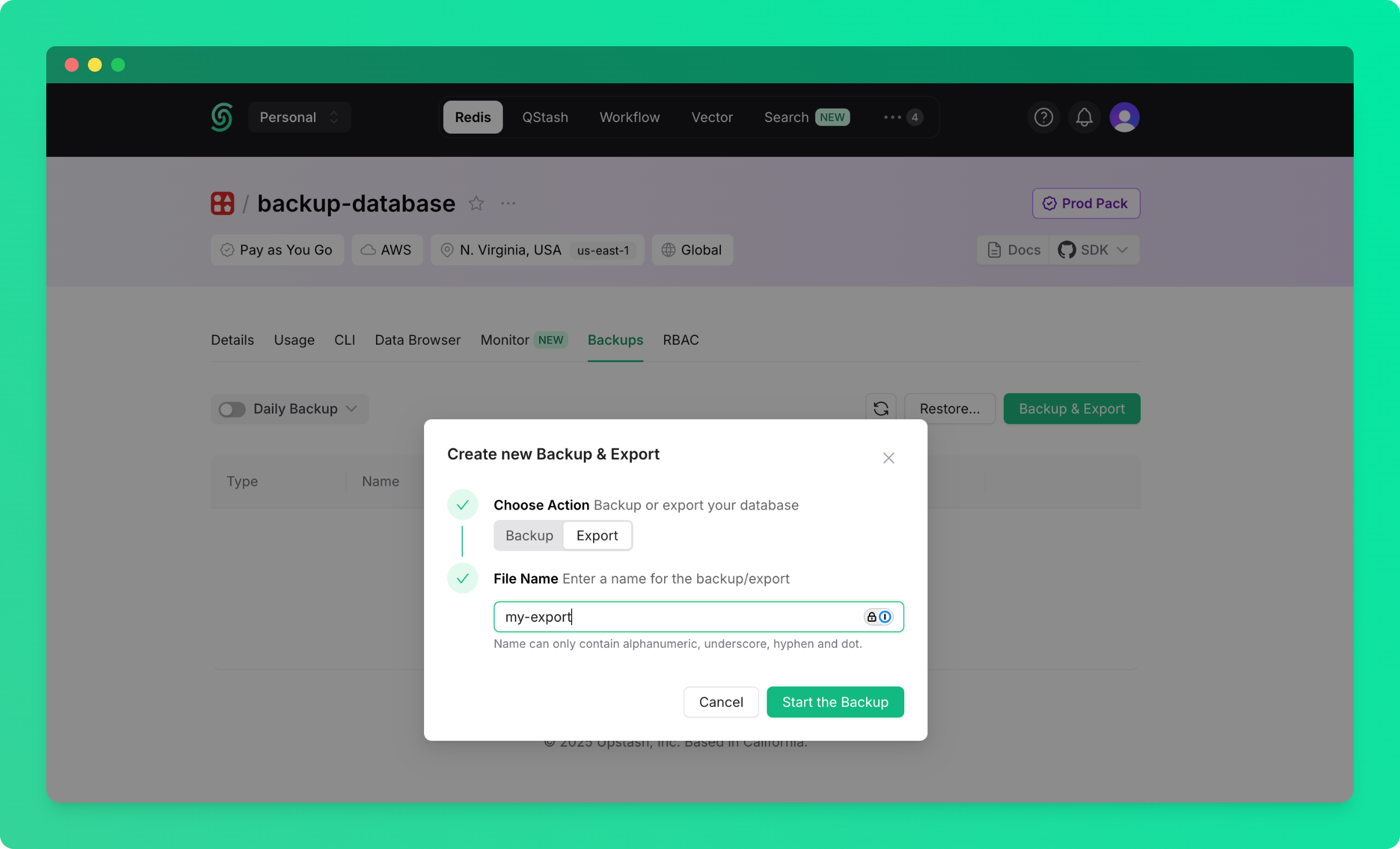
Your database will be exported as an RDB file. Once you start the export, you'll see the export progress in the backups table.
Download Your Export#
Once the export completes, you'll see a Download button in the backups table:
- Find your export in the backups table
- Click the
Downloadbutton to download the RDB file
Not all Redis data structures are included in RDB exports. Notably, Redis Functions data will not be available in the export.