

In this tutorial, we will build a real-time chat application using Flask and SocketIO, leveraging Upstash Redis for efficient message handling. Redis, being a fast, in-memory data store, provides an ideal backbone for real-time messaging systems due to its low latency and support for Pub/Sub messaging patterns.
Why Upstash Redis?#
- Scalability: Handles large volumes of messages with minimal latency.
- Simplicity: Easy to set up with minimal configuration.
- Cost-Efficiency: Serverless model reduces operational costs.
Setup#
1. Install the Required Libraries#
Install Flask, Flask-SocketIO, and the Redis library by running:
2. Create a Redis Database#
Create a Redis database using the Upstash Console or Upstash CLI.
Create a .env file in the root of your project with the following content:
Code#
Now, it's time to implement the chat application. We'll create a Flask server that uses SocketIO for real-time communication. We'll also configure the server to use Upstash Redis as the message queue.
We need to use the rediss:// protocol instead of redis:// to connect to Redis over TLS. This ensures secure communication between the server and the Redis instance.
Code Explanation#
- We initialized a Flask app and set a secret key for session management.
- We set up the Redis URL with TLS for secure communication.
- We initialize a SocketIO instance with the Flask app and configure it to use Redis as the message queue.
- We define WebSocket event handlers for
connect,disconnect, andmessageevents. - The
handle_messagefunction broadcasts the received message to all connected clients except the sender. - We define a route to serve the chat interface template.
Now let's create a template for the chat interface. We're not going to go into the details of the HTML and CSS, as the focus is on the real-time messaging functionality.
Running the Application#
- Start the server:
- Open your web browser and go to
http://localhost:8000/.
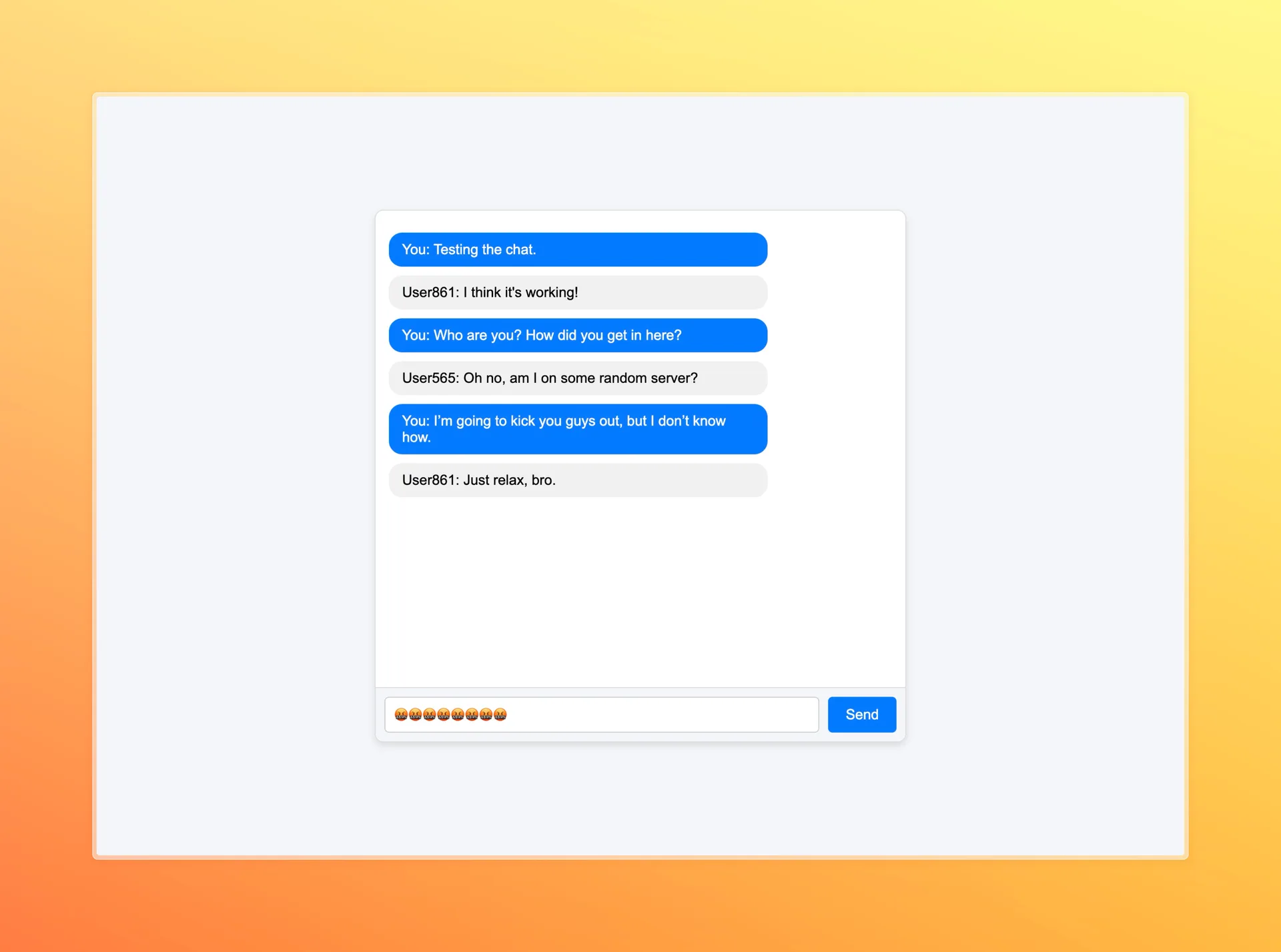
You should see the chat interface. You can send and recieve messages in real-time. Just open the same URL in multiple tabs or browsers to simulate multiple users chatting with each other.
Conclusion#
In this tutorial, we built a real-time chat application using Flask, SocketIO, and Upstash Redis. Redis, with its low latency and high throughput, is an ideal choice for real-time messaging systems.
To learn more about Upstash Redis, visit the Upstash Redis Documentation.